- Angular
- Firebase
- TypeScript


Ship your admin. Don’t build it.
Ready-made Angular dashboard for founders and solopreneurs, with boards your users can drag, drop, and resize.
Advanced board customization for your users
Your users drag, drop, and resize widgets. Layouts stick with Firebase sync or local demo mode.
- No third-party grid libraries. Placement and resizing are a custom implementation.
- Parameters are easy to change when you want different snap, size, or spacing behavior.
- You ship a real product feature, not a static admin theme.
Two configurations. Pick how you persist.
Start with the default Firebase stack for auth and synced user layouts, or switch to the demo configuration for local-only persistence while you evaluate.
Firebase (default)
DefaultAuth, profile, and each user’s dashboard layout sync through Firebase so arrangements follow them across sessions and devices.
- Firebase Auth, Firestore, and Storage wired in
- User dashboard layouts sync with Firebase
- Best when you are shipping a real multi-user admin product
Demo (local)
No FirebaseFirebase services are removed and persistence moves to local storage. Ideal for demos, evaluations, and offline tinkering.
- No Firebase project required
- Layout and demo data persist in local storage
- Same UI and widget model as the default config
What you ship with
Capabilities from the current kit. The parts that save days of setup.
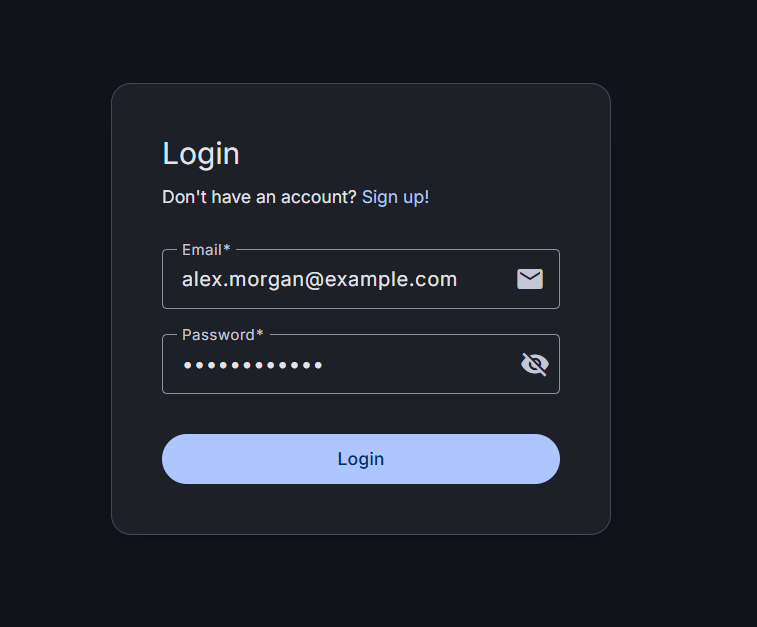
Firebase auth ready
Email/password login and signup flows wired for the default Firebase configuration.
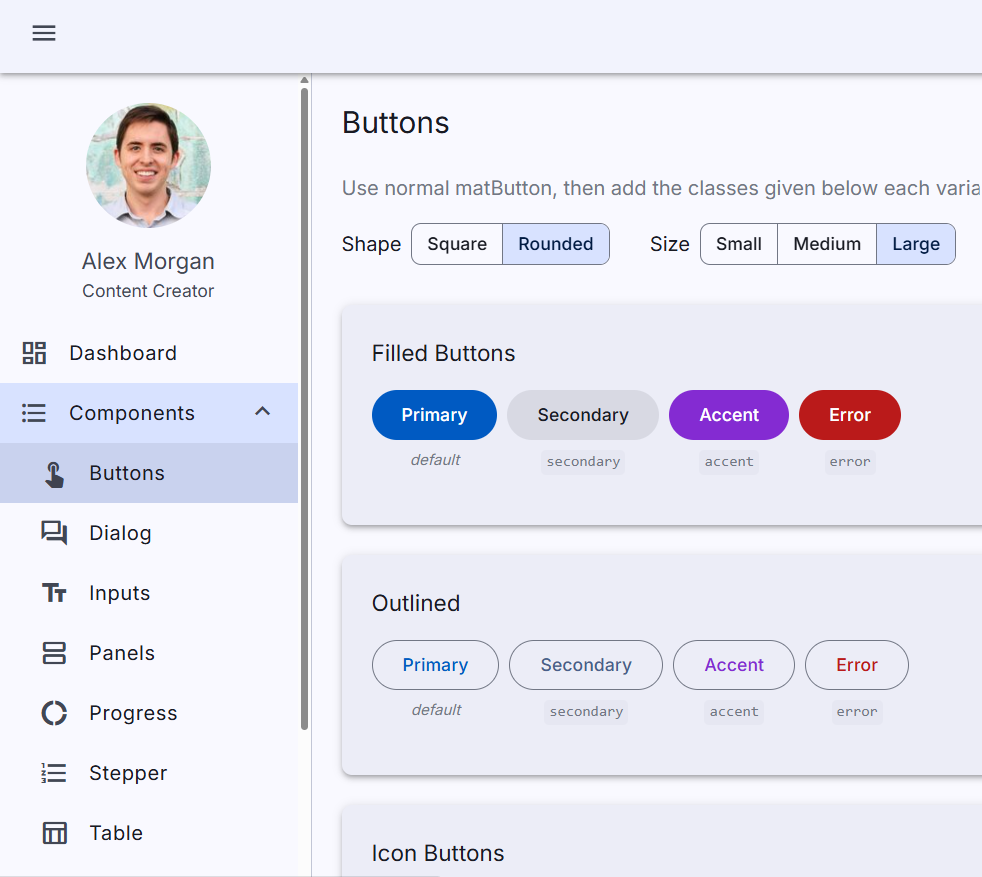
Nested sidebar shell
Expandable navigation and lazy-loaded component pages, including Material button variants.
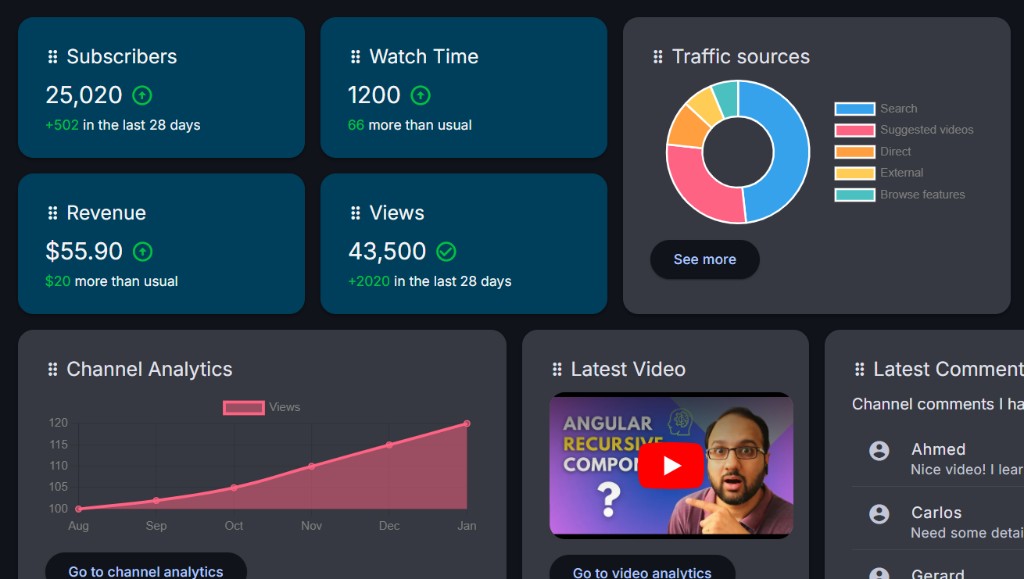
Widget board with real samples
Stats, Chart.js graphs, video, and comments widgets ready to swap for your own data.
Drag, drop, and resize for end users
Give the people using your dashboard a board they can rearrange. Reposition widgets, resize with edge handles, and keep their layout in sync with your persistence layer.
Firebase by default, demo when you need it
Ship with Firebase auth and synced layouts, or flip to the demo configuration that swaps Firebase for local storage persistence.
Angular Material MD3 + Tailwind
Material Design 3 components with Tailwind utility styling so you can brand and extend without fighting the design system.
Sample widgets that earn their keep
Stats, Chart.js graphs, comments, and more. Ready examples you replace with your own data and business logic.
Nested sidebar & lazy routes
A structured shell with nested navigation and lazily loaded routes. A clean base for your product, not a throwaway demo.
Works cleanly with AI-assisted coding
Consistent structure, coding standards, and skills so your AI tools can extend the template without fighting a messy theme.
What's included
- Private GitHub repository access (updates land there automatically)
- Full source for the Angular dashboard app
- End-user drag-drop widget panel with resize
- Firebase default config with auth, Firestore, Storage, and layout sync
- Demo config with local storage persistence (no Firebase)
- Sample Chart.js and stats widgets
- Nested sidebar shell with lazy-loaded routes
- Coding standards and agent skills for AI-assisted workflows
For business owners, developers, and solopreneurs
- You want a ready-made, well-structured admin dashboard, not a blank canvas or a static theme
- You need advanced board customization as a product feature for your users (drag, drop, resize)
- You want Firebase sync by default, with a local demo path when you are still evaluating
FAQ
- What do I get after purchase?
- Access to a private GitHub repository with the full Angular Dashboard source. New updates are pushed there automatically. Pull to stay current.
- Who is the drag-and-drop for?
- Your end users. Drag, drop, and resize are runtime features of the dashboard they use. You get the source template to brand, wire to your data, and ship.
- How do updates work?
- Because delivery is GitHub access (not a one-off zip), updates appear in the private repo as they ship. Use the Polar customer portal with your purchase email if you need order or access help.
- Do I need Firebase?
- Not for exploring the UI. The default configuration uses Firebase Auth, Firestore, Storage, and layout sync for your users. The demo configuration removes Firebase services and persists with local storage instead.
- Does it work well with AI coding tools?
- Yes, as a bonus. The kit keeps a consistent structure plus coding standards and skills so AI-assisted workflows can extend it cleanly.
- What Angular version does it use?
- The current release targets Angular 21 with Angular Material (Material Design 3) and Tailwind CSS.
Ship a ready-made dashboard your users can personalize.
Get private GitHub access to a well-structured Angular template, with advanced board customization for your users, and Firebase or local demo persistence.